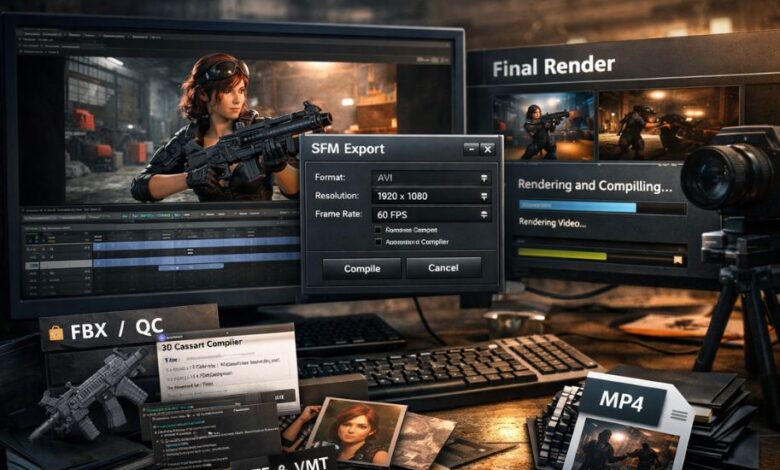
Source Filmmaker, commonly known as SFM, has become one of the most popular animation tools among creators who work with Valve’s Source engine. From short cinematic clips to complex animated films, SFM allows users to bring characters, environments, and stories to life. However, one term that often confuses beginners and even intermediate users is sfm compile.
The concept of SFM compile plays a critical role in the animation workflow, acting as the bridge between creative work inside the editor and the final usable output. Whether you are working with models, textures, animations, or rendering a finished video, understanding SFM compile is essential for professional-quality results.
This article provides a detailed and practical explanation of sfm compile, covering its meaning, workflow, tools, benefits, challenges, and best practices. If you want to master Source Filmmaker and avoid common mistakes, this guide will give you a solid foundation.
What Is SFM Compile?
At its core, sfm compile refers to the process of converting data created or imported into Source Filmmaker into formats that the Source engine can properly use. In simple terms, it is the step where raw or editable content becomes finalized, optimized, and ready for playback, rendering, or sharing.
The word “compile” can be slightly misleading because it is used in two main ways in the SFM community:
- Asset Compilation – Converting models, textures, and animations into Source-compatible formats.
- Final Output Compilation – Rendering or exporting an SFM project into a playable video or image sequence.
Both meanings are correct, and understanding the difference is crucial for working efficiently with SFM.
Why SFM Compile Is Important
SFM compile is not just a technical step—it directly affects quality, performance, and usability. Without proper compilation, even the most beautifully animated scene may fail to render correctly or load at all.
Key reasons why sfm compile matters include:
- Compatibility: The Source engine requires specific file formats. Compilation ensures assets meet those requirements.
- Performance Optimization: Compiled assets are optimized for real-time playback and rendering.
- Final Output Creation: Compilation transforms your animation into a shareable format such as a video or image sequence.
- Error Prevention: Proper compiling reduces crashes, missing textures, and broken animations.
In short, sfm compile is the backbone that turns creative effort into a finished product.
Types of SFM Compile
1. Asset Compilation in SFM
Asset compilation focuses on preparing custom or external assets for use inside Source Filmmaker. These assets include:
- 3D character models
- Props and environmental objects
- Textures and materials
- Skeletal animations
Raw files such as FBX, OBJ, or image textures cannot be used directly by SFM. They must be compiled into Source-engine formats. This ensures that lighting, shading, physics, and animation systems work as intended.
During asset compilation, creators typically convert files into formats such as:
- Model files
- Material and texture files
- Animation data linked to skeletons
This step is essential for creators who use custom models or port assets from other software.
2. Rendering and Export Compilation
In everyday usage, many SFM users refer to sfm compile as the final rendering or export process. Once animation, lighting, camera work, and audio are complete, the project must be compiled into an output format.
This process includes:
- Selecting video or image sequence output
- Applying resolution and frame rate settings
- Processing lighting, motion blur, and depth of field
- Encoding audio and visuals into a final file
Without this step, your project remains locked inside SFM and cannot be shared with others.
The SFM Compile Workflow Explained
Understanding the workflow helps reduce errors and saves time. While each project is different, most SFM compile workflows follow a similar structure.
Step 1: Asset Preparation
Before compiling anything, assets must be clean and organized. This includes:
- Correct naming conventions
- Proper folder structure
- Clean geometry and UV mapping
- Correct texture resolution and formats
Poor preparation is one of the biggest causes of compilation errors.
Step 2: Importing Assets into SFM
Once prepared, assets are imported into Source Filmmaker. At this stage, creators check:
- Whether textures load correctly
- If skeletons and animations work as expected
- Whether materials respond to lighting properly
Any issue discovered here should be fixed before moving forward.
Step 3: Compiling Assets
Asset compilation turns editable files into Source-compatible formats. This step ensures the engine can process them efficiently during animation and rendering.
Key considerations during this phase include:
- Matching skeletons correctly
- Verifying texture paths
- Checking for missing dependencies
Step 4: Scene Assembly and Animation
After assets are compiled, creators build scenes, animate characters, adjust cameras, and design lighting. Although this stage is more creative, it directly affects the final compile quality.
Mistakes here—such as clipping models or incorrect lighting—will carry over into the final output.
Step 5: Final SFM Compile (Render / Export)
The final compile is where everything comes together. Users choose:
- Output format (video or image sequence)
- Resolution and aspect ratio
- Frame rate and compression settings
This step may take minutes or hours depending on project complexity and system performance.
Tools Commonly Used in SFM Compile
While Source Filmmaker itself handles rendering, creators often rely on additional tools for asset compilation and optimization.
Common tools include:
- Model compilers for converting raw 3D models
- Texture editors for creating and optimizing materials
- Script editors for managing compile instructions
- Video editors for post-processing rendered output
Using the right tools ensures smoother workflows and higher-quality results.
Best Practices for Successful SFM Compile
To avoid frustration and wasted time, experienced creators follow certain best practices:
- Test assets early: Compile small test scenes before committing to full projects.
- Use image sequences: They are more reliable than single video renders and easier to fix if errors occur.
- Keep backups: Always save versions before major compile steps.
- Optimize assets: High-resolution textures and complex models can slow down compilation.
- Check logs and errors: Compilation logs often point directly to the problem.
These habits dramatically improve success rates and final quality.
Common SFM Compile Problems and How to Fix Them
Even experienced users face issues during compilation. Some of the most common problems include:
Missing Textures
Often caused by incorrect file paths. Fix by verifying material references and folder structure.
Model Errors
Incorrect skeletons or incompatible animations can break a compile. Ensuring proper rigging usually solves this.
Long Render Times
High resolution, complex lighting, and motion blur increase compile time. Lower settings or render in segments if needed.
Crashes During Compile
Usually caused by memory limits or corrupted assets. Optimizing models and textures often resolves the issue.
Who Should Learn About SFM Compile?
Understanding sfm compile is important for:
- Beginners who want to avoid basic mistakes
- Content creators producing animations for YouTube or social media
- Game modders working with Source-engine assets
- Advanced animators aiming for cinematic-quality output
Regardless of skill level, mastering compilation improves efficiency and quality.
The Role of SFM Compile in Modern Content Creation
With the rise of online video platforms, SFM animations are more popular than ever. Creators use Source Filmmaker for:
- Short films and cinematics
- Game-related animations
- Storytelling projects
- Educational and promotional videos
In all these cases, sfm compile determines whether a project feels amateur or professional.
Final Thoughts
SFM compile is more than just a technical step—it is the foundation that transforms creative ideas into finished animations. From compiling assets to rendering final videos, each stage plays a crucial role in quality, performance, and reliability.
For creators who want to stand out, learning how sfm compile works is not optional—it is essential. By following best practices, using proper tools, and understanding common issues, you can produce smoother workflows and better results.
At newsz, we aim to simplify complex digital and creative topics so creators can focus on what truly matters: bringing ideas to life. Whether you are a beginner or an experienced animator, mastering sfm compile will elevate your Source Filmmaker projects to the next level. Stay connected with newsz for more detailed guides, tutorials, and insights into creative and technical workflows.