Axelanote: A Complete Guide to the Smart PDF Annotation Tool Transforming Digital Workflows

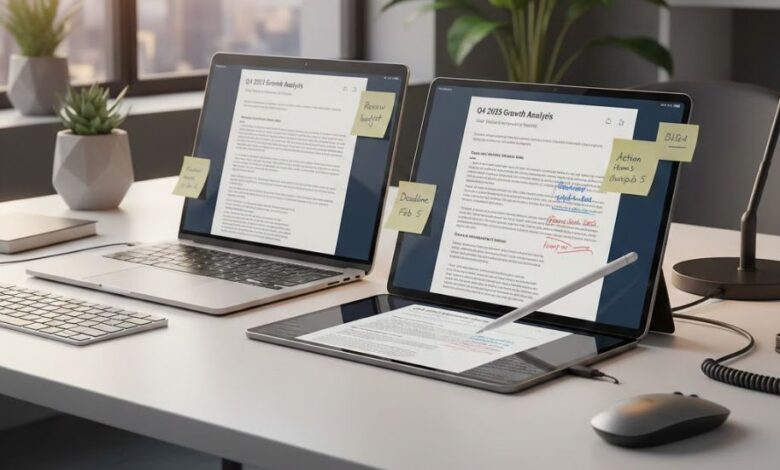
In today’s fast-moving digital era, professionals, students, and businesses increasingly rely on digital documents instead of paper. Among these, PDF files remain the most widely used format for sharing official documents, academic papers, engineering drawings, and business reports. However, editing and annotating PDFs has always been a challenge, especially when files are locked or restricted. This is where Axelanote emerges as a powerful and innovative solution.
Axelanote (also known as AxelaNote) is a Windows-based PDF annotation software that allows users to write, draw, and add notes directly on PDF files without altering the original document. It introduces a unique overlay technology that creates a transparent annotation layer on top of the file. This ensures the original content remains untouched while enabling flexible and creative interaction with the document.
Over the years, Axelanote has gained attention in professional industries such as construction, engineering, education, and corporate management. Its design focuses on productivity, paperless workflows, and ease of use, making it an essential tool for modern digital work environments.
Understanding Axelanote’s Core Concept
At its core, Axelanote works differently from traditional PDF editors. Most PDF editors modify the file itself, which can cause issues with permissions, version control, and compliance. Axelanote instead uses an overlay method. This means:
- The original PDF remains unchanged.
- All annotations are saved as a separate transparent layer.
- Users can toggle annotations on and off.
- Document security and integrity are preserved.
This approach is particularly valuable in professional environments where files must not be altered due to legal, regulatory, or quality assurance requirements.
Key Features of Axelanote
1. Non-Destructive Annotation
Axelanote allows users to annotate even protected or read-only PDFs. You can write notes, highlight sections, draw diagrams, and add markings without changing the original content. This feature is crucial for reviewing contracts, technical manuals, and research papers.
2. Stylus and Touch Support
The software is optimized for pen input and touchscreen devices. This makes it suitable for tablet PCs and digital whiteboards. Engineers and designers can sketch directly onto blueprints, while teachers and students can handwrite notes naturally.
3. Easy Navigation and User Interface
Axelanote is designed to be lightweight and user-friendly. Its interface allows users to quickly open PDFs, switch between annotation tools, and manage multiple pages efficiently. This simplicity reduces the learning curve and increases adoption in workplaces.
4. Compatibility with Windows Systems
Axelanote is compatible with Windows 10 and Windows 11, making it accessible to most modern PCs and tablets. This ensures smooth integration with existing office setups without requiring additional hardware.
5. Multiple Annotation Tools
Users can:
- Draw freehand notes
- Add highlights and markings
- Create shapes and lines
- Insert handwritten comments
- Erase or modify annotations easily
These tools provide flexibility for different professional and educational needs.
Why Axelanote Matters in a Paperless World
The shift toward paperless workflows has accelerated due to remote work, digital classrooms, and cloud-based collaboration. Axelanote plays a critical role in supporting this transition.
Supporting Digital Transformation
Businesses aim to reduce printing costs and physical storage. Axelanote enables teams to review and annotate documents digitally, eliminating the need for printed copies.
Environmental Benefits
By reducing paper usage, Axelanote contributes to sustainability goals. Fewer printed documents mean less waste and lower environmental impact.
Secure Collaboration
Because the original file is not altered, Axelanote ensures compliance with document security policies. Teams can share annotated layers without compromising the base document.
Practical Applications of Axelanote
1. Education and Academia
Students and teachers use Axelanote to annotate lecture notes, research papers, and e-books. It allows handwritten notes, highlights, and diagrams directly on PDFs, simulating the experience of writing on paper while keeping everything digital.
2. Engineering and Construction
In technical fields, professionals frequently review blueprints and schematics. Axelanote allows engineers to mark corrections, add comments, and draw attention to specific sections without altering the original drawing.
3. Business and Corporate Use
Managers and employees can annotate contracts, project proposals, and reports. During meetings, teams can open a PDF and write notes in real time, improving communication and decision-making.
4. Remote Work and Online Collaboration
As remote work increases, Axelanote helps teams collaborate on shared documents. Annotations can be saved and shared, making feedback more visual and clear.
Security and Document Integrity
One of Axelanote’s strongest advantages is its respect for document integrity. Many industries require that original documents remain unchanged for legal or compliance reasons. Axelanote’s overlay system ensures:
- The source PDF remains intact.
- Annotations can be stored separately.
- There is no risk of overwriting original content.
This feature is especially important in healthcare, government, and financial sectors.
Comparison with Traditional PDF Editors
Traditional PDF editors allow direct editing of text and images. While useful, they can introduce risks:
- Accidental modification of original content
- Compatibility issues
- Loss of formatting
- Security vulnerabilities
Axelanote focuses on annotation rather than editing, making it safer for reviewing and commenting tasks. It is not designed to replace full PDF editors but to complement them.
Productivity Benefits
Axelanote improves productivity by:
- Reducing printing and scanning
- Saving time during reviews
- Enhancing clarity through visual annotations
- Allowing quick feedback and corrections
- Supporting pen-based workflows
Teams that rely on document reviews can complete tasks faster and with fewer errors.
Adoption and Recognition
Axelanote has been recognized in Japan and other regions as a useful digital tool for modern workplaces. It has been adopted by companies in construction, training, and administration. Its success highlights a growing demand for tools that bridge the gap between paper-based habits and digital technology.
The Future of Axelanote
As technology evolves, Axelanote is likely to integrate with cloud services, AI-driven handwriting recognition, and collaboration platforms. These developments could further expand its role in education and enterprise environments.
Future updates may include:
- Cloud synchronization
- Team collaboration features
- Improved stylus accuracy
- AI-based text recognition
- Cross-device compatibility
Such advancements would make Axelanote even more valuable in digital ecosystems.
Challenges and Limitations
Despite its advantages, Axelanote also has limitations:
- It is primarily Windows-based.
- It focuses on annotation rather than full document editing.
- Users may need training for advanced features.
However, these limitations do not outweigh its strengths for its intended purpose.
Why Axelanote is a Game-Changer
Axelanote stands out because it combines simplicity with innovation. By allowing annotations without altering original files, it solves a common problem faced by professionals and students. Its pen-friendly design and secure approach make it ideal for modern digital workflows.
Whether in classrooms, offices, or engineering sites, Axelanote helps people interact with documents naturally and efficiently.
Final Thoughts
Axelanote represents a shift in how we interact with digital documents. Instead of replacing paper with rigid tools, it recreates the natural experience of writing and drawing while maintaining digital security. Its overlay annotation system ensures trust, compliance, and flexibility.
As organizations continue moving toward paperless systems, tools like Axelanote will play a vital role in shaping future productivity and collaboration.
This article is published to inform readers about innovative digital tools that improve daily workflows and document management. Platforms like Newsz, your English blog site, aim to bring such technology-focused insights to a wider audience, helping readers stay updated with the latest trends in software and productivity solutions. By sharing detailed articles like this on Newsz, you contribute to educating users about practical tools such as Axelanote and their impact on digital transformation.